Two weeks. One pattern.
Pick your workdays for Week 1 and Week 2. Wake Up repeats the pattern, including different days in each week.
For iPhone · Coming soon
Early shifts. Alternating weeks. A month that looks different every time. Make your alarms fit the way you work.
Meet Wake UpGet support →Coming soon to the App Store. A public download link isn’t available yet. Requires iOS 26.1 or later.
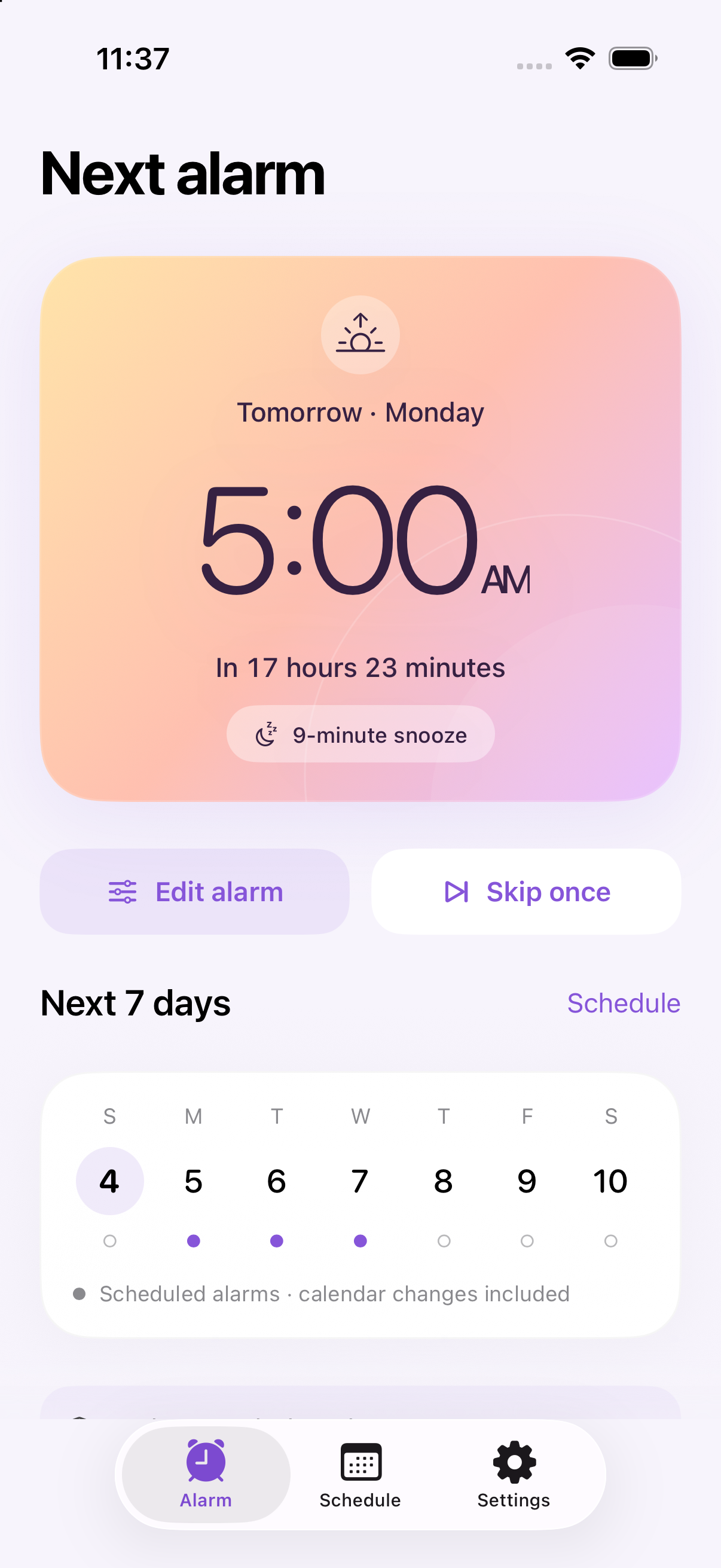
Simple by design
Pick your workdays for Week 1 and Week 2. Wake Up repeats the pattern, including different days in each week.
Use the advanced calendar to choose individual workdays, set a whole month, or return to your usual rotation.
Choose original sounds that build gradually or start strong. Set your snooze, name your alarms and pick a colorful theme.
Wake Up support
Email your iPhone model, iOS version, app version and what happened. Please leave personal schedule details out unless they’re needed to explain the issue.
Contact supportOpen Schedule, choose your alarm time and the days in each week, then set the Sunday that starts Week 1. Tap Save & enable alarms and allow alarm permission when iOS asks.
Open Schedule → Advanced calendar. Select the days you want, then save. Overrides apply to those dates; the repeating pattern continues elsewhere.
Wake Up stores your pattern and schedules the next available alerts, up to 48 across enabled alarms. Open the app occasionally to refresh future alarms. iOS background refresh is not guaranteed. Check coverage in Settings and enable a refresh reminder.
Select the alarm in Settings to choose its sound and snooze duration. Hear sound previews it; Stop preview ends playback. Gradual sounds build over 12 seconds in each sound cycle. Actual volume follows your iPhone’s alarm settings. Use Test alarm in 15 seconds to check your setup.
Yes. Tap Add alarm for a separate time and schedule. Swipe left on an alarm to reveal Delete, or use its switch to turn it off.
The current preview is free and does not start a trial or accept payments. The planned subscription offers one calendar month free for eligible new subscribers, then automatically renews at the price Apple shows. Final availability and pricing will be announced before launch. A one-time Version 1 purchase is also planned.
The planned purchase model keeps saved alarms working. An active plan or Version 1 ownership is needed to create or change schedules. Stopping, deleting and skipping remain available. Apple will manage subscriptions and purchase restoration.
Open Wake Up after traveling so upcoming alarms can refresh to your local time. Review the next alarm before relying on it.